This section describes how to export information about discovered resources or logs. You can use the exported information or logs to analyze resources or locate faults when exceptions occur.
Prerequisites
- You have configured a license by referring to License Configuration.
- You have added credentials by referring to Credential Management.
- You have installed the server collector by referring to Plugin Management.
- You have added or imported resource information to RDA by referring to Discovering Server Resources and Importing Resource Information.
Procedure
- Double-click the RDA icon on the desktop or RDA.exe in the installation directory to start the RDA client. Enter the username and password to log in to the RDA console.
- In the navigation pane on the left, choose Discovery > Servers.
- Click Export Resources in the upper right corner of the page.Figure 1 Exporting resources

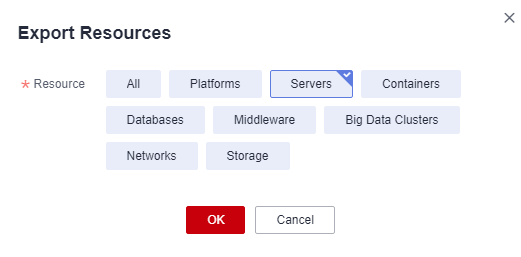
- In the Export Resources dialog box, select the type of resources whose information to be exported, and click OK.Figure 2 One-click export

In the exported file, you can view information about discovered resources.