Scenarios
This section describes how to add credentials of public clouds, private clouds, servers, databases, containers, and middleware to RDA.
The following authentication modes are supported:
- Public clouds: AK/SK, username/password, configuration, and application
- Private clouds, servers, and databases: username and password
- Containers: configuration file
- Middleware: token
Procedure
- Double-click the RDA icon on the desktop or RDA.exe in the installation directory to start the RDA client. Enter the username and password to log in to the RDA console.
- In the navigation pane on the left, choose Configurations. On the Credential Management tab page, click Add.
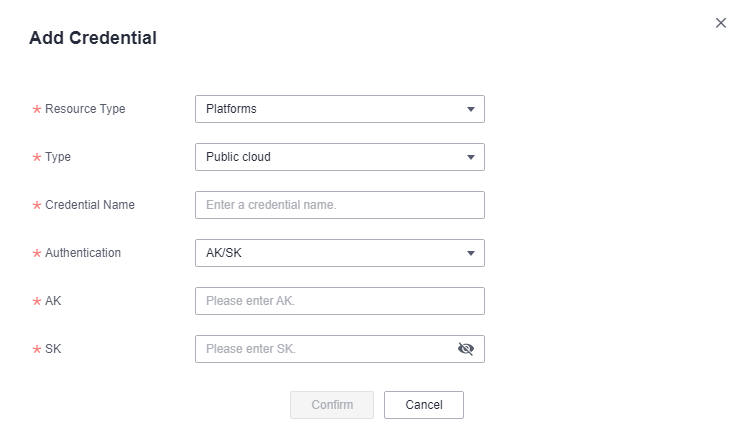
- On the Add Credential page, select an authentication mode and enter the credentials as prompted, and click Confirm. The credential name is user-defined.After the credential is added, you can view it in the credential list.Figure 1 Adding credentials