Scenarios
Before discovering resources, you need to install the corresponding resource collector. This section describes how to install the required resource collector through plugin management.
Procedure
- Double-click the RDA icon on the desktop or RDA.exe in the installation directory to start the RDA client. Enter the username and password to log in to the RDA console.
- In the navigation pane on the left, choose Configurations.
- On the Plugin Management tab page, locate the resource collector you need and click Install.Figure 1 Installing a collector
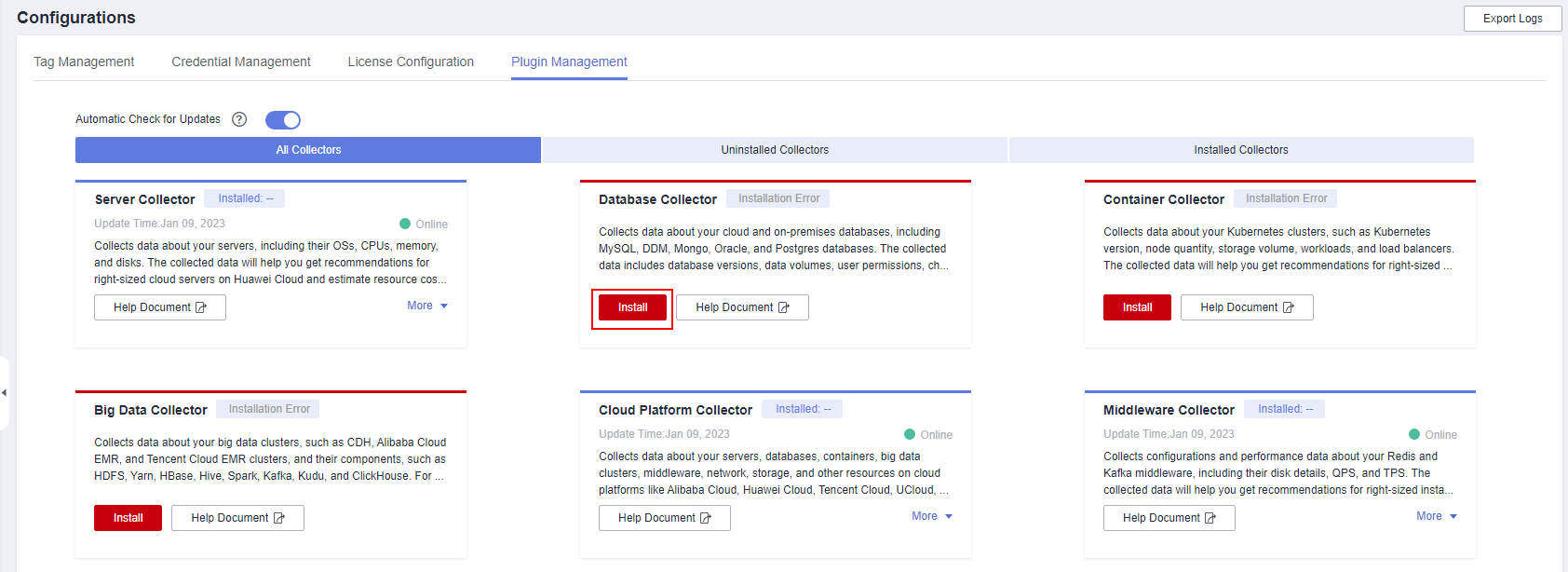

- The collector installation packages are downloaded from an OBS bucket on Huawei Cloud over the Internet. The domain name of the OBS bucket is rda-collector.obs.cn-north-4.myhuawecloud.com.
- After the installation is successful, the version of the installed collector is displayed.
- If the installation fails, move the cursor to Installation Error to view the failure cause.