Download the RDA installation package from the RDA home page and install RDA on a Windows or Linux server by referring to Installing RDA.
After the installation is complete, you need to perform the operations described in the following parts to use the RDA and related functions:
- License Configuration
- Credential Management
- Cloud Environment Configuration
- Cloud Account Configuration
- Plugin Management
Network Matrix
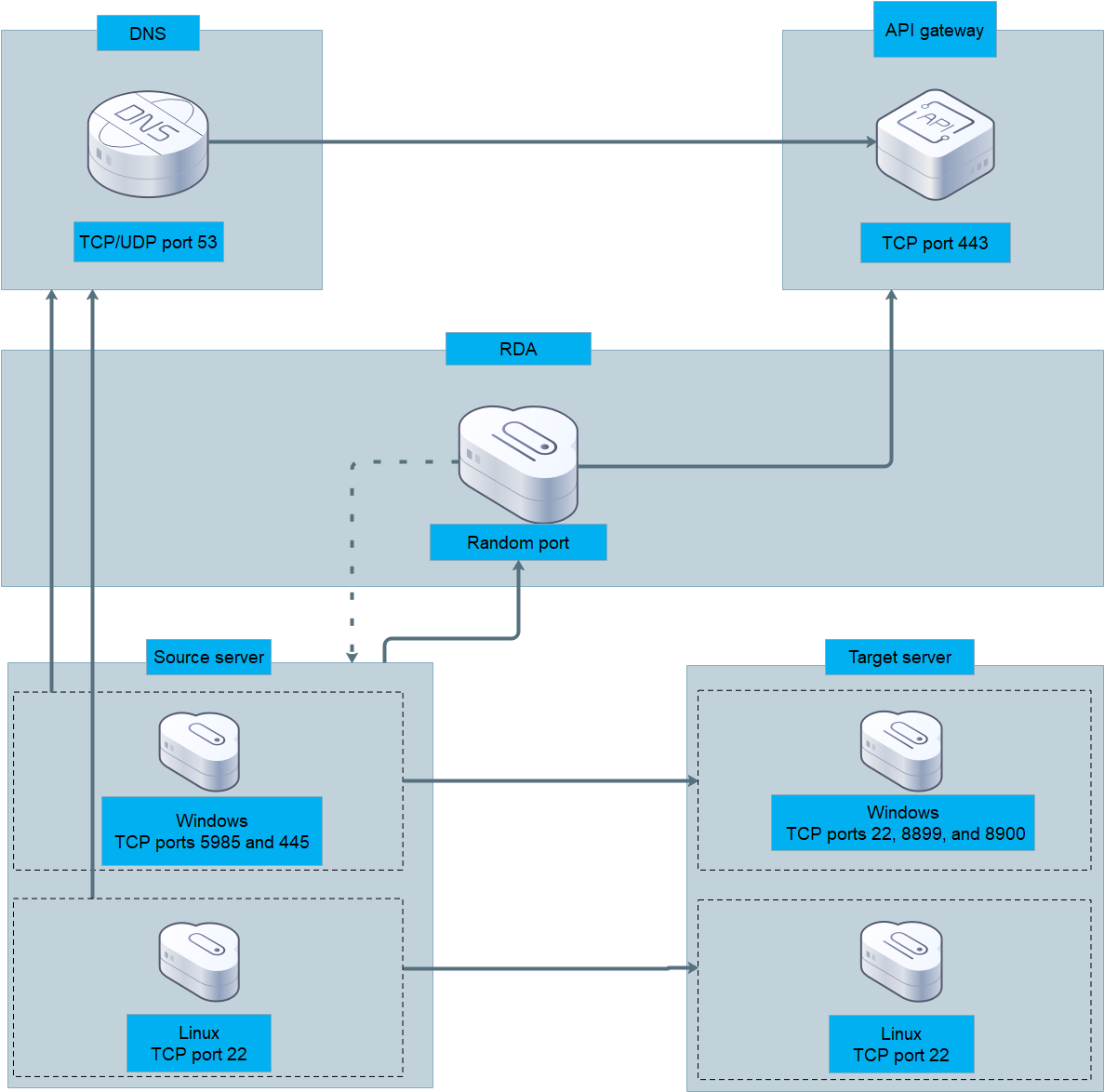
The following table describes the ports used in the network matrix.
Port |
Description |
|---|---|
Random port on the RDA server |
After the SMS plugin is installed, it listens on a random or specified port of the RDA server to receive source server information reported to RDA and deliver migration commands. |
Ports 5985 and 445 on the Windows source server |
RDA accesses Windows WinRM on the source server over the two ports to collect source server information, install the migration tool, and start the migration tool. |
Port 22 on the Linux source server |
RDA accesses SSH on the source server over the port to collect source server information, install the migration tool, and start the migration tool. |
Ports 22, 8899, and 8900 on the Windows target server |
These ports are used for communication from the source server to the target server. These ports are used to initialize the temporary OS on the target server, manage the target server, and transfer data blocks. |
Port 22 on the Linux target server |
This port is used for communication from the source server to the target server. The port is used to initialize the temporary OS on the target server and transmit data. |
Port 443 on the API gateway |
The SMS plugin and RDA access cloud services ECS, EVS, IAM, VPC, and OBS over the API gateway through this port, so that they can perform operations on the target server, such installing the temporary OS. |