Scenarios
This section describes how to bind a Huawei Cloud account to a cloud environment.
Prerequisites
You have added a cloud environment by referring to Cloud Environment Configuration.
Procedure
- Double-click the RDA icon on the desktop or RDA.exe in the installation directory to start the RDA client. Enter the username and password to log in to the RDA console.
- In the navigation pane on the left, choose Configurations. Click the Cloud Account Configuration tab and then Add.
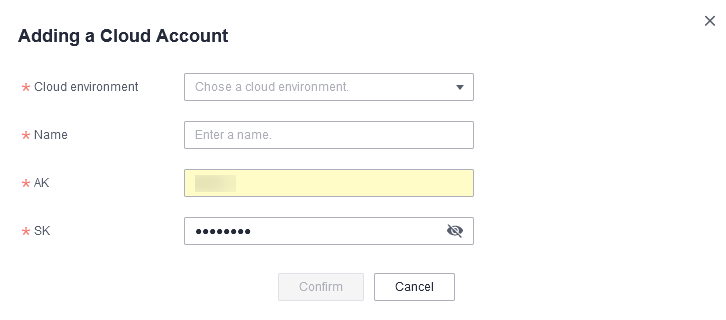
- In the displayed dialog box, select the added cloud environment, specify Name, AK, and SK, and click OK to bind the cloud account to the cloud environment.Figure 1 Adding a cloud account

After the cloud account is added, RDA will verify the validity of the AK/SK pair specified in the cloud account by sending requests to the IAM APIs using the IAM endpoint specified in the cloud environment over the Internet.
You can view the IAM endpoint in the cloud environment details. You must ensure that the IAM endpoint is that of the region you migrate to.