Scenarios
Before the migration, you need to configure target servers for receiving data from source servers.

This section describes how to configure target servers for source servers discovered by RDA. To learn how to configure target servers for non-RDA discovered source servers, see Configuring a Target Server.
Prerequisites
You have synchronized source servers to SMS by referring to Synchronize Discovered Servers to SMS.
Procedure
- Double-click the RDA icon on the desktop or RDA.exe in the installation directory to start the RDA client. Enter the username and password to log in to the RDA console.
- In the navigation pane on the left, choose SMS > Servers.
- In the server list, select one or more servers synchronized and click Configure Destination Server.

- In the Basic Configuration area, select an enterprise project and a server template.
If no appropriate templates are available, perform the following steps to create one:
Click
 on the right of the Select Template box. In the displayed dialog box, configure the template information and click OK.Figure 1 Creating a template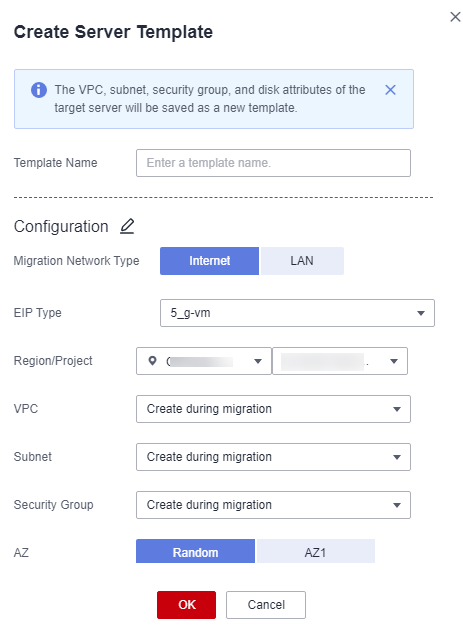
- In the Specifications Configuration area, configure the target server specifications based on the source server specifications.
Destination specifications can be configured only after a server template is created.
- Click OK. In the server list, click the
 icon in the Migration Stage column to view or modify the target server configuration.
After confirming that the configuration is correct, create and start migration tasks by referring to Creating One-Stop Migration Tasks.