You need to synchronize the server information collected by RDA to SMS.
Prerequisites
You have discovered servers by referring to Discovering Servers.
Procedure
- Double-click the RDA icon on the desktop or RDA.exe in the installation directory to start the RDA client. Enter the username and password to log in to the RDA console.
- In the navigation pane on the left, choose SMS > Agents.
- Click Syncing Collection Servers. The list of collected servers is displayed.
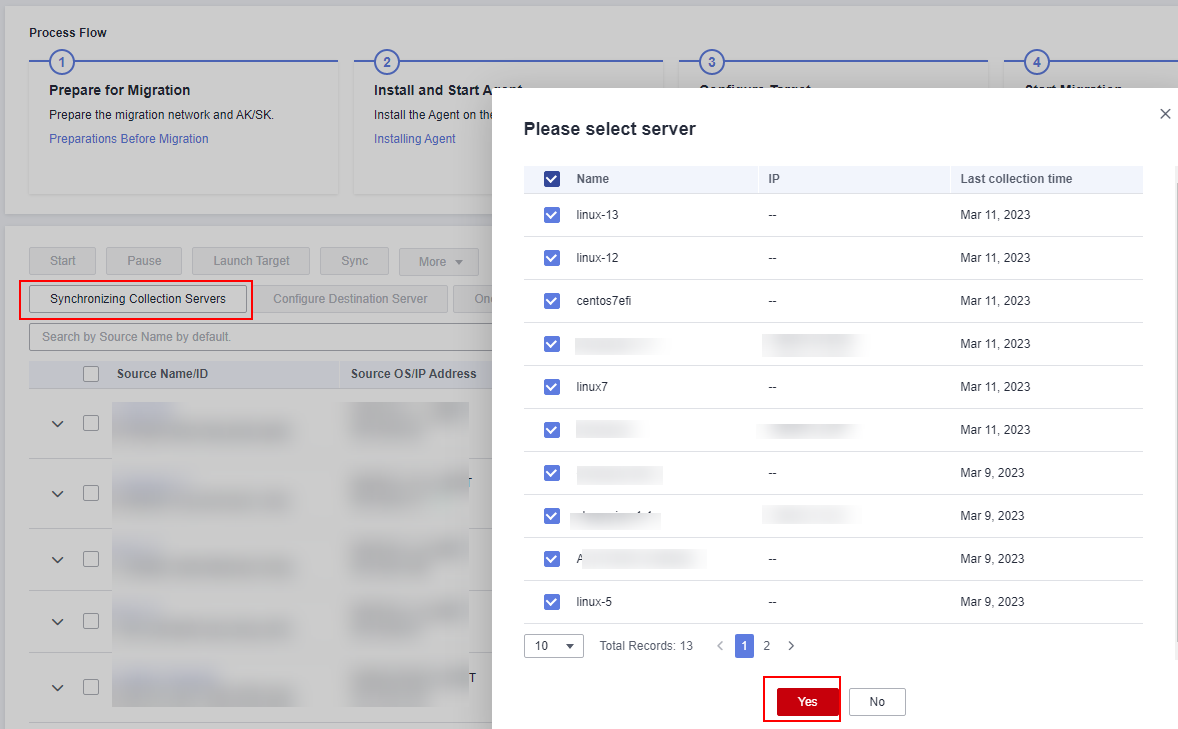
- Select the servers to be migrated and click Yes.
