Scenarios
A full replication replicates all data from the source server to the target server. The replication speed depends on the outbound bandwidth of the source server and the inbound bandwidth of the target server, whichever is smaller.
Constraints
After a full replication starts, do not restart the source server or Agent, or the migration will fail.
Prerequisites
- You have configured a target server. For details, see Configuring a Target Server.
- The migration is in the
 stage and the status is Ready.
Procedure
- Double-click the RDA icon on the desktop or RDA.exe in the installation directory to start the RDA client. Enter the username and password to log in to the RDA console.
- In the navigation pane on the left, choose SMS > Agents.
- Locate the source server to be migrated and click Start in the Operation column. In the displayed Start Migration dialog box, click OK to start a full replication.Alternatively, select the server to be migrated and click Start above the server list. In the displayed Start Migration dialog box, click OK.Figure 1 Confirmation
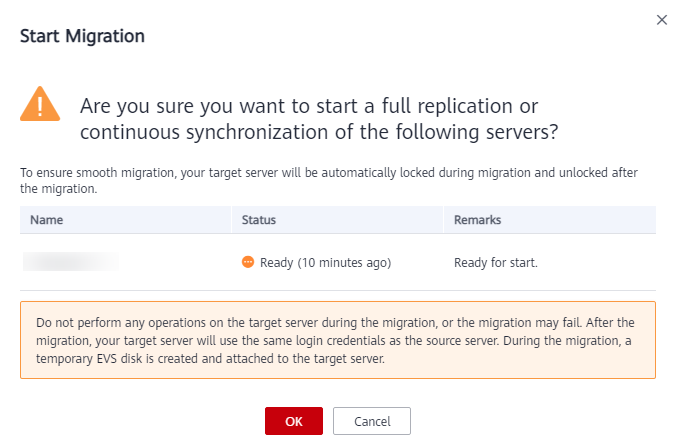

During the full replication, the target server is locked by default and you are not allowed to perform any operations on it. After the migration is complete, the system automatically unlocks the target server. If you need to perform operations on the target server during the migration, unlock the target server first by choosing More > Unlock Target.
- During the replication, you can click
 to view the progress.Figure 2 Viewing the progress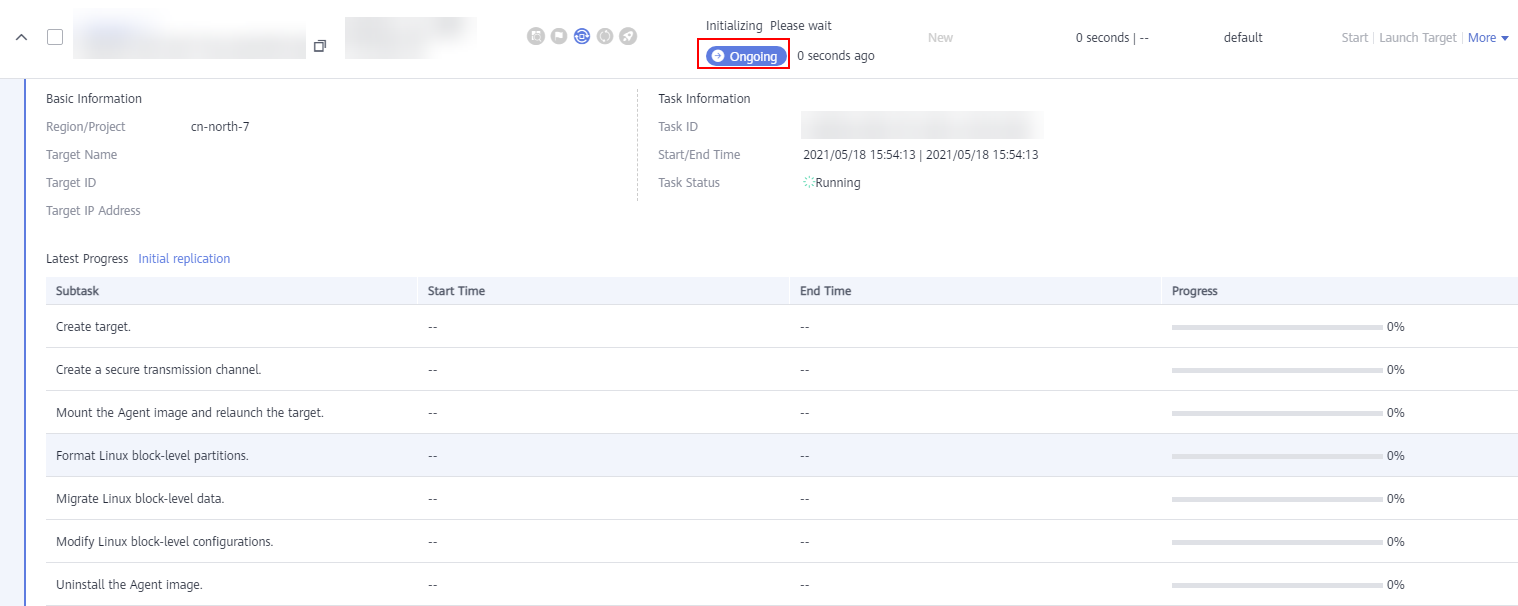
- Wait for the full replication to complete.
- If you set Continuous Synchronization to No when you configure the migration settings, after the full replication is complete, the system puts the migration to a Target Launch stage and launches the target server to complete the migration automatically.
- If you set Continuous Synchronization to Yes when you configure the migration settings, after the full replication is complete, the system puts the migration to a Continuous sync status. You will need to manually launch the target server to complete the migration. For details, see Launching a Target Server.