Scenarios
After the target server is launched, if there are data changes on your source server, you can synchronize the incremental data from the source server to the target server.

Only tasks in the Finished status can be synchronized.
Procedure
- Double-click the RDA icon on the desktop or RDA.exe in the installation directory to start the RDA client. Enter the username and password to log in to the RDA console.
- In the navigation pane on the left, choose SMS > Agents.
- In the server list, locate the source server you want to synchronize and click Sync in the Operation column.

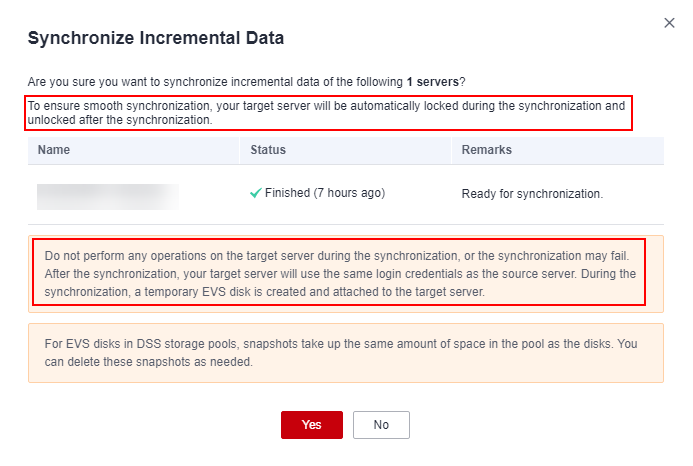
- In the displayed Synchronize Incremental Data dialog box, check the synchronization description carefully and click Yes.