smsWindowsAgent
Download the package from the support website and decompress it to the root directory of drive C.
Python 3.7.6
Download address: https://www.python.org/downloads/release/python-376/
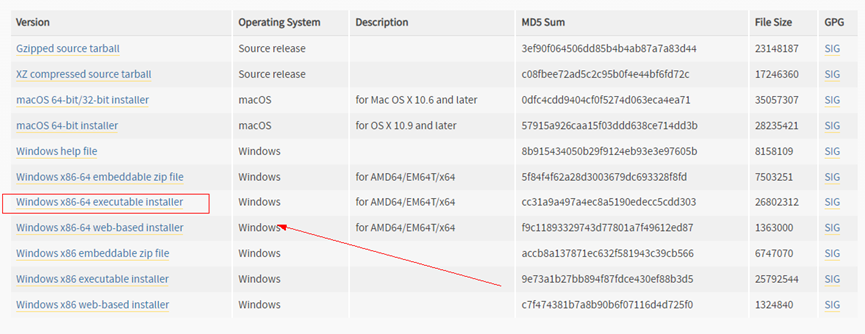
Install the software.
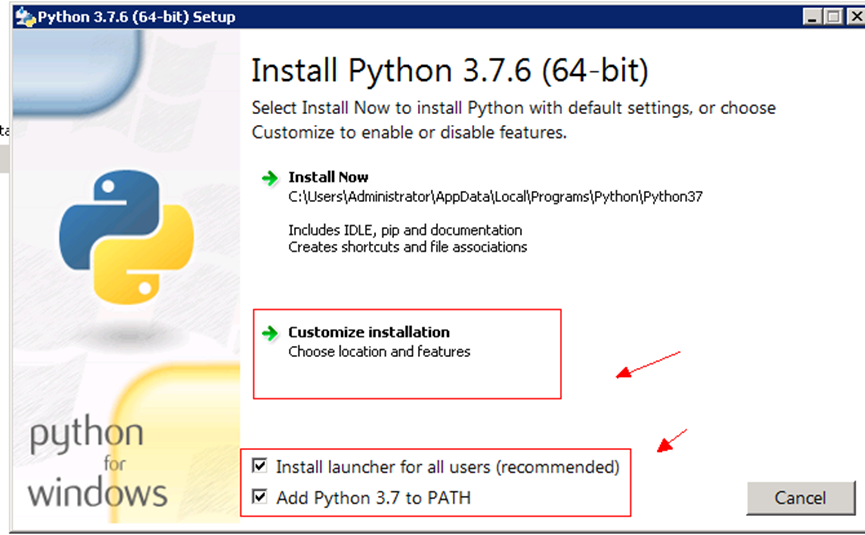
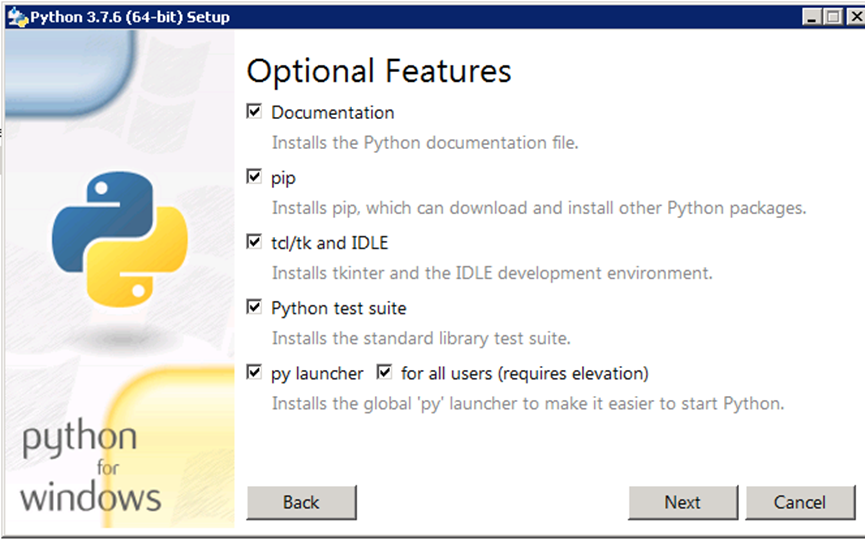
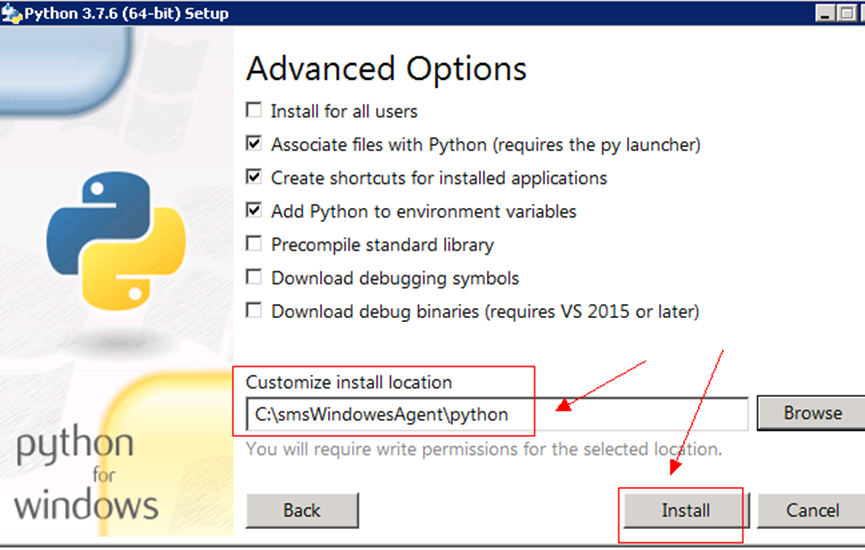
Verify the installation.
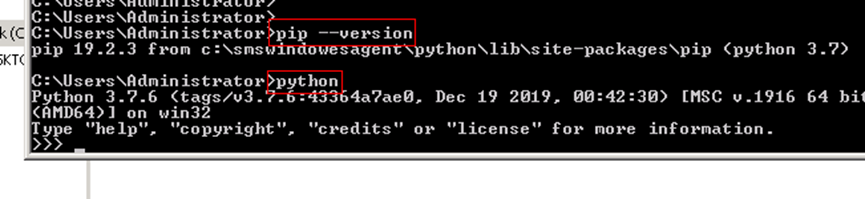
Install dependent modules.
pip install requests
pip install configparser


Verify the installation.

CloudbaseInitSetup_1_1_2_x64.msi
Download address: https://www.cloudbase.it/downloads/CloudbaseInitSetup_Stable_x64.msi
Change the name of the downloaded file to CloudbaseInitSetup_1_1_2_x64.msi if it is not the this one.
Save this file to the root directory of drive C. You do not need to install it.
Password Reset plugin
Download address: https://cn-south-1-cloud-reset-pwd.obs.cn-south-1.myhuaweicloud.com/windows/reset_pwd_agent/CloudResetPwdAgent.zip
Installation method: https://support.huaweicloud.com/usermanual-ims/ims_01_0402.html
OpenStack
Download address: https://ecs-instance-driver.obs.cn-north-1.myhuaweicloud.com/vmtools-windows.zip
Decompress and extract relevant drivers to the specified directory.
Windows Server 2016 64bit is used here as an example.
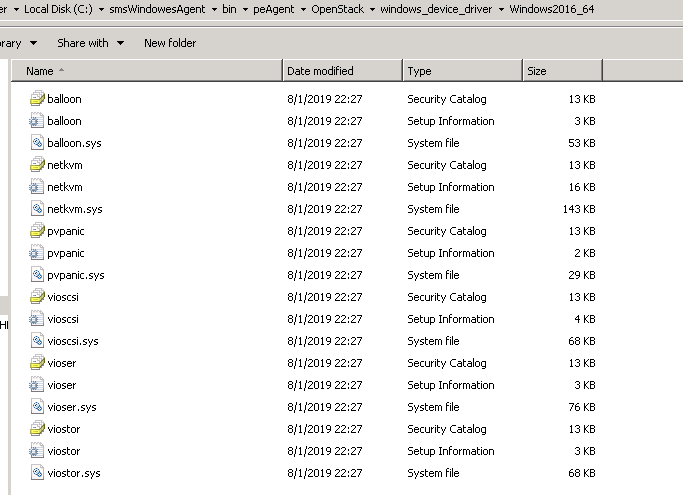
Copy all files in upgrade\windows 2016_64\drivers\viostor to C:\smsWindowsAgent\bin\peAgent\OpenStack\windows_device_driver\windows2016_64.
Copy files in the rest of folders under upgrade\windows 2016_64\drivers to C:\smsWindowsAgent\bin\peAgent\OpenStack\windows_device_driver\windows2016_64.
The picture below shows the files copied to the C:\smsWindowsAgent\bin\peAgent\OpenStack\windows_device_driver\Windows2016_64 directory.
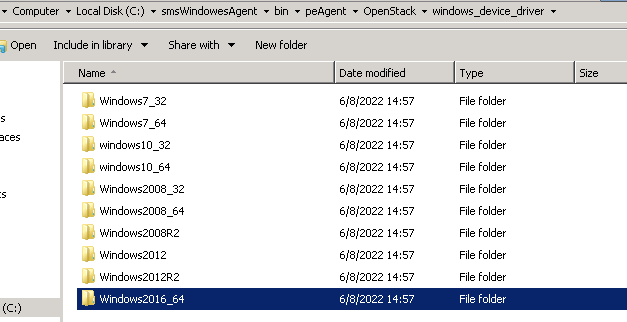
Copy files required by other Windows versions to the corresponding directories.
Note:
- windows2008_32 for Windows Vista 2008 32bit
- windows2008_64 for Windows Vista 2008 64bit
OpenSSH
Download address: https://github.com/PowerShell/Win32-OpenSSH/releases/tag/v8.1.0.0p1-Beta
Download version 8.1. A later version has protocol negotiation problems, which may result in connection failures.
- Decompress the package to C:\Program Files and rename the folder OpenSSH.
- Run Window PowerShell as an administrator and go to the C:\Program Files\OpenSSH directory.
- Run the powershell -ExecutionPolicy Bypass -File install-sshd.ps1 command to install OpenSSH.
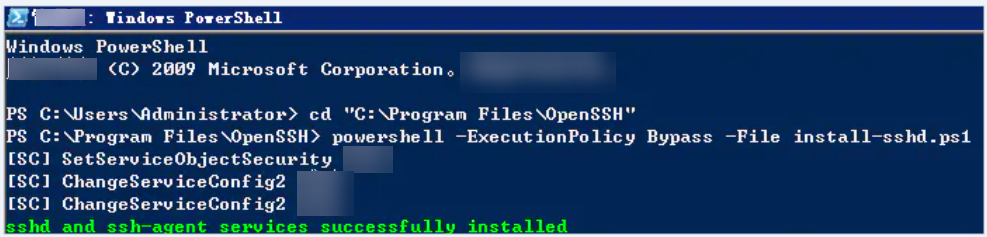
- Run the netsh advfirewall firewall add rule name=sshd dir=in action=allow protocol=TCP localport=22 command to open port 22 on the firewall.
- Enable the service to automatically start upon OS startup
Set-Service sshd -StartupType Automatic
Set-Service ssh-agent -StartupType Automatic
- Start the service.
Start-Service ssh-agent
- Check whether you can log in to XShell as the administrator.
- Edit the sshd_config file and comment out the following two lines:
#Match Group administrators
# AuthorizedKeysFile__PROGRAMDATA__/ssh/administrators_authorized_keys
- Add the following content to the sshd_config file.
PasswordAuthentication no
Generating an Activation File
Dim Count:Count = 0
Set http=CreateObject("Msxml2.ServerXMLHTTP")
http.setTimeouts 5000, 5000, 10000, 10000
For i = 1 To 5
    On Error Resume Next
        Err.Clear
        http.open "GET","http://169.254.169.254/openstack/latest/meta_data.json",False
        http.send
        If Err.Number <> 0 Then
            Err.Clear
        End If
    If http.status < 300 Then
    Exit For
    Else
        wscript.sleep 5000
    End If
Count = Count + 1
Next
text_metadata=http.responsetext
byol_str="""BYOL"": ""true"""
mypos=InStr(1,text_metadata,byol_str,1)
If mypos > 0 Then
    'skip Windows activation - byol option found'
    wscript.sleep 1000
Else
    'start Windows activation - byol option not found'
    Set WshShell=CreateObject("WScript.Shell")
    WshShell.Run "cmd.exe /c cscript /nologo %windir%/system32/slmgr.vbs /skms kmsAddress", 0, True
    WshShell.Run "cmd.exe /c cscript /nologo %windir%/system32/slmgr.vbs /ato", 0, True
    'Windows activation success'
End If
strPath = Wscript.ScriptFullName
Set objFSO = CreateObject("Scripting.FileSystemObject")
Set objFile = objFSO.GetFile(strPath)
strFolder = objFSO.GetParentFolderName(objFile)
f = objFSO.DeleteFile(objFile)